
Kinosail Subtitles
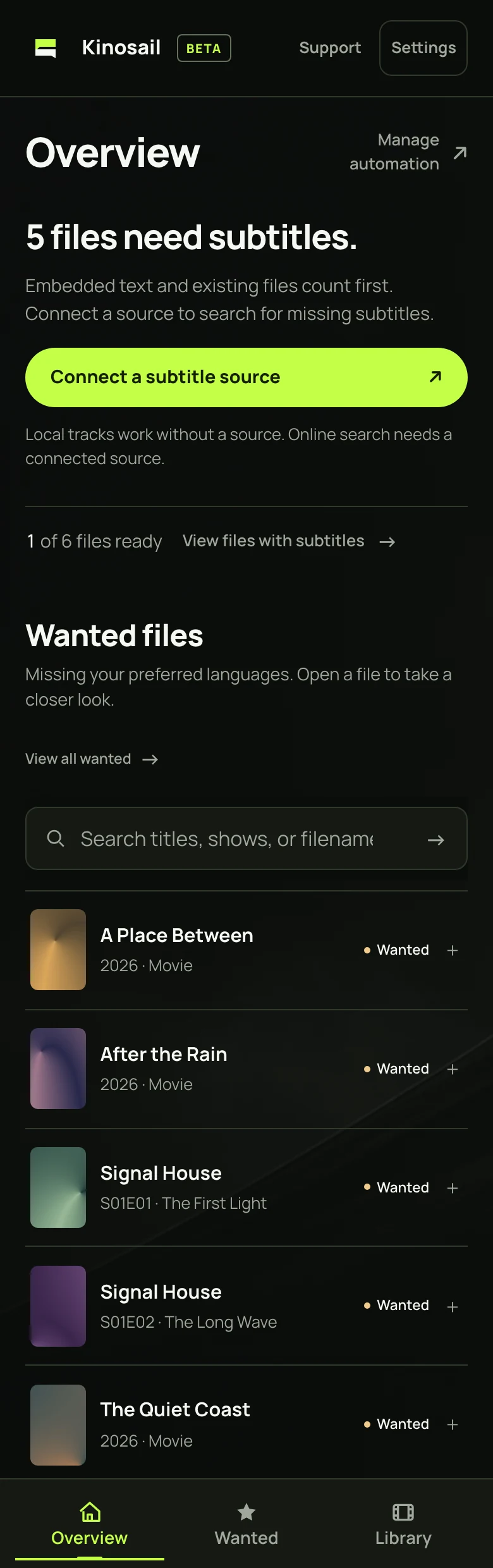
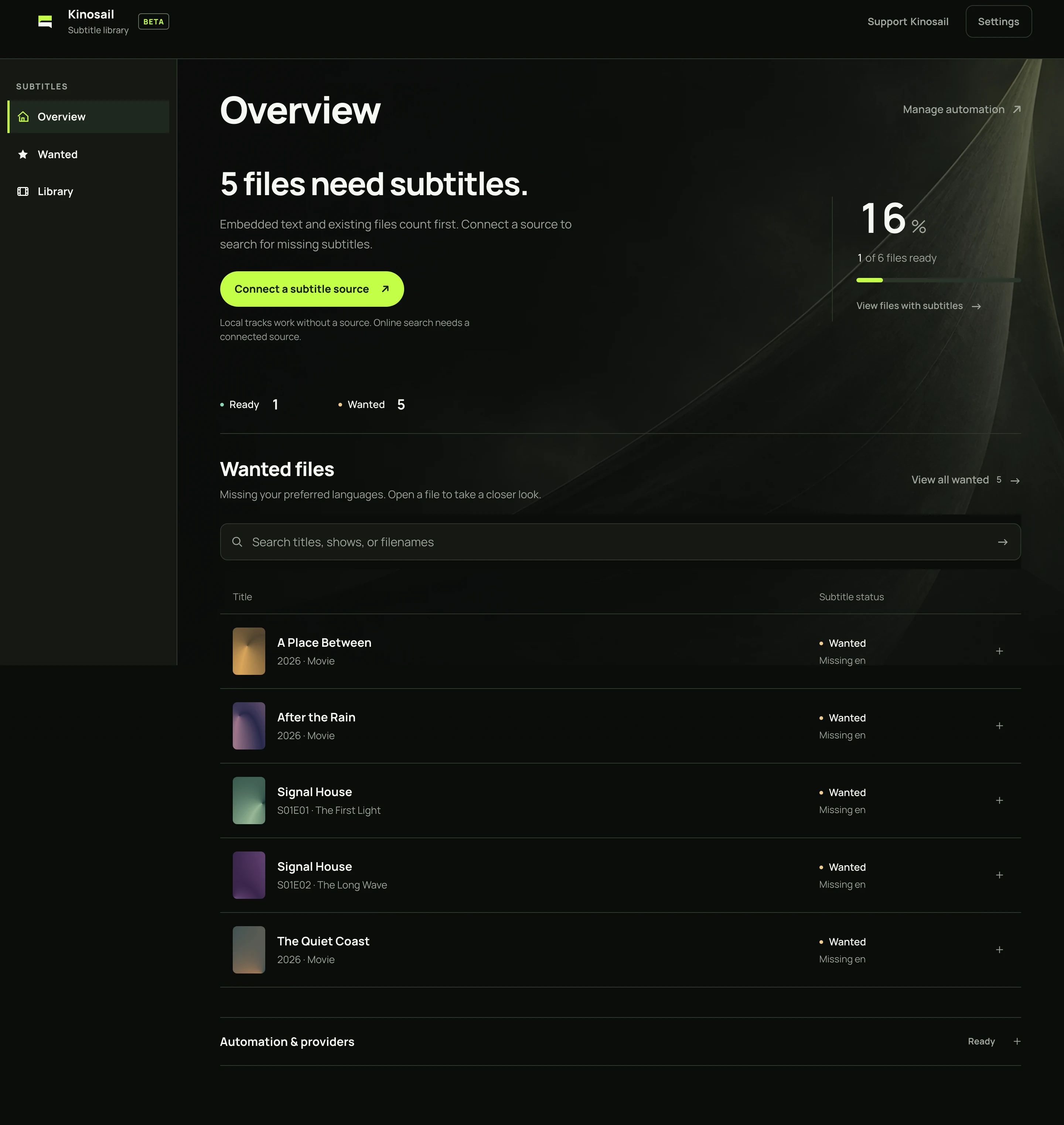
Kinosail Subtitles is a free, self-hosted app that scans local movies and episodes, finds missing subtitles, and writes validated SRT or WebVTT sidecar files beside the videos. It runs independently from Kinosail Player. Optional Supporter badges do not unlock core features.
Compare Player and Subtitles to choose one app or run both.
- Install the published container
- Install on a NAS or Proxmox VE with an importable Compose file or local Unraid template.
- Complete first setup
- Connect a subtitle provider
- Find and manage subtitles
- Back up and update
- Use the HTTP API
- Support Kinosail Subtitles and activate a badge
- Fix a problem
How does Kinosail Subtitles find a match?
The Server scans the movie and episode folders you choose. It checks existing sidecars and embedded text tracks first. For missing coverage, it searches your configured SubDL, OpenSubtitles.com, or SubSource account. It ranks results by release identity, episode, language, and other match signals, then validates subtitle content and timing before a save.
You can fetch one wanted file or let bounded maintenance fill gaps. The dashboard shows what is ready, wanted, pending, or unavailable. See matching and timing and configure providers.
What files can it change?
For a movie such as Film.mkv, an English sidecar is named Film.en.srt. The Server writes beside the video, so its media mount must be writable. It can upgrade its own managed files after a meaningful improvement. An unknown sidecar needs an exact OpenSubtitles hash match before replacement, and the original is kept as a .kinosail.bak recovery file. SubSource downloads remain unchanged under that provider’s terms.
Optional cleanup is off by default. It can hide language-tagged sidecars after you preview and confirm the selected files. Hidden files stay beside the video with a .hidden suffix. Remove that suffix to restore them. Choose languages and review cleanup before using it.
Kinosail Player has a different role: it reads media and does not change source files. The apps have separate containers and app state. You can run Subtitles without Player. Read the library guide.
Does it upload my videos?
No. Media bytes and saved subtitles stay on your Server. Providers receive bounded search metadata, which can include title, episode, language, release identifiers, and a locally calculated file hash. Read the privacy details.